

We use cookies to make your experience better. To comply with the new e-Privacy directive, we need to ask for your consent to set the cookies. Learn more.
 Skip to Content
| Accessory brand | Brodit |
|---|---|
| Barcode | 7320285357938 |
| Recommended retail price incl. VAT | €124.95 |
| Holder feature | Toestelspecifiek |
| Toestel connector | lightning |
| Device with or without case | without skin |
| Cable / Qi / charger type / connnector | usbA + Sig plug |
| Input Voltage | 12/24V geschikt |
| Voltage (output) | QC - QuickCharge |
| Max Amperage | 2,4 Amp |
| Montage standaard | AMPS |
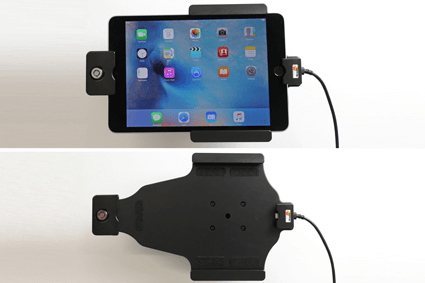
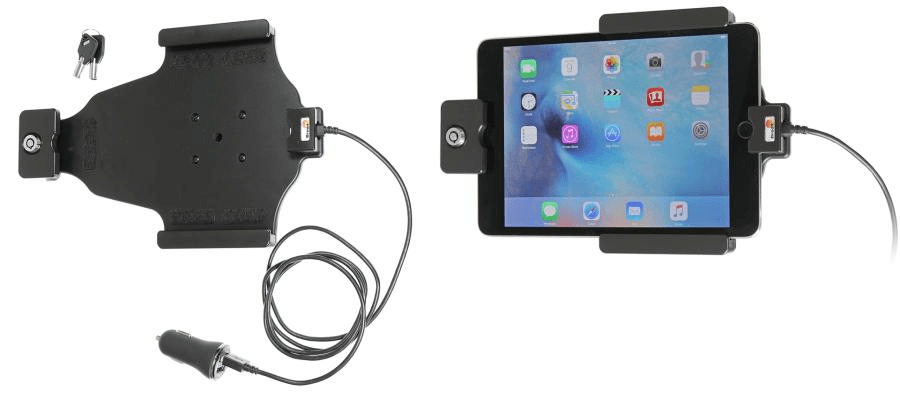
| Device holder lockable? | yes with a lock |
| Color | black |
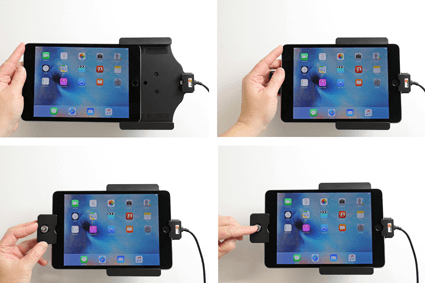
| Productinfo | Professional holder with swivel mechanism for your smartdevice. Adjusting holder angle deminishes annoying screen reflection |
| Product installation | Mount the holder on a ProClip in your vehicle. A detailed installation manual is included in the product packaging |
| Product suitable for | In the Compatibility tab, check whether your smartdevice is suitable or listed for this holder |
| Item Returns | This item can be returned |